
Yeomanを使ってみる
- 2014/11/25
- okada
Yeomanがどういうものなのか詳しくは公式サイトを見ていただくとして、
要はWEBアプリを作る際の基本的な環境構築をパパっとやっちゃいますよ?というものです
気になっていたので、触ってみることにします
環境設定
Node.jsとnpmを入れていることが前提
Yeomanをインストール
$ sudo npm install --global yo bower grunt-cli
確認
$ yo --version && bower --version && grunt --version
Yeomanジェネレータをインストール
AngularJSGeneratorをインストール
$ sudo npm install --global generator-angular
プロジェクトフォルダ作成
$ mkdir yeoman
$ cd yeoman
実行すると今までインストールしたジェネレータのリストが出てくるので、必要な物をインストール
$ yo
? 'Allo XXXX! What would you like to do?
Run a generator
Angular
Karma
──────────────
Update your generators
Install a generator
❯ Find some help
Get me out of here!
──────────────
今回はAngular generatorを使いたいので、Angularを選択する。
$ yo
? 'Allo XXXX! What would you like to do? Angular
Make sure you are in the directory you want to scaffold into.
This generator can also be run with: yo angular
_-----_
| | .--------------------------.
|--(o)--| | Welcome to Yeoman, |
`---------´ | ladies and gentlemen! |
( _´U`_ ) '--------------------------'
/___A___\
| ~ |
__'.___.'__
´ ` |° ´ Y `
Out of the box I include Bootstrap and some AngularJS recommended modules.
? Would you like to use Sass (with Compass)? (Y/n)
Saas使う?Bootstrap使う?モジュール使う?等聞かれるので、適時好きなように。今回はこのように選択しました。
? Would you like to use Sass (with Compass)? No
? Would you like to include Bootstrap? Yes
? Which modules would you like to include?
◉ angular-animate.js
❯◯ angular-aria.js
◉ angular-cookies.js
◉ angular-resource.js
◯ angular-messages.js
◉ angular-route.js
◉ angular-sanitize.js
◉ angular-touch.js
そしていつもどおりうまく行かない… 権限?
〜〜〜
npm WARN excluding symbolic link build/defs-config.json -> ../defs-config.json
npm ERR! Error: EACCES, mkdir '/Users/XXXX/.npm/debug/2.1.0'
npm ERR! { [Error: EACCES, mkdir '/Users/XXXX/.npm/debug/2.1.0']
npm ERR! errno: 3,
npm ERR! code: 'EACCES',
npm ERR! path: '/Users/XXXX/.npm/debug/2.1.0',
npm ERR! parent: 'grunt-usemin' }
npm ERR!
npm ERR! Please try running this command again as root/Administrator.
色々トライしてみた結果キャッシュなくせばいいということだったらしい
$ npm cache clean
いけた!と思ったらこれ。npmが古いらしい。
〜〜〜
npm ERR! Error: ENOENT, open '/Users/XXXXX/Program/workspace/yeoman/node_modules/grunt/package.json'
npm ERR! If you need help, you may report this *entire* log,
npm ERR! including the npm and node versions, at:
npm ERR!
npm ERR! System Darwin 13.4.0
npm ERR! command "/usr/local/bin/node" "/usr/local/bin/npm" "install"
npm ERR! cwd /Users/XXXXX/Program/workspace/yeoman
npm ERR! node -v v0.10.33
npm ERR! npm -v 1.4.28
npm ERR! path /Users/XXXXX/Program/workspace/yeoman/node_modules/grunt/package.json
npm ERR! code ENOENT
npm ERR! errno 34
npm ERR! not ok code 0
npmをもう一度入れなおして実行したらいけました
〜〜〜
└── js-yaml@2.0.5 (esprima@1.0.4, argparse@0.1.15)
app/index.html modified.
_-----_
| | .---------------------------------------.
|--(o)--| | Bye from us! Chat soon. |
`---------´ | |
( _´U`_ ) | The Yeoman Team |
/___A___\ | https://github.com/yeoman/yeoman#team |
| ~ | '---------------------------------------'
__'.___.'__
´ ` |° ´ Y `
コレがファイル一覧
$ ls -al
total 88
drwxr-xr-x 15 XXXX staff 510 11 14 10:00 .
drwxr-xr-x 36 XXXX staff 1224 11 13 17:48 ..
-rw-r--r-- 1 XXXX staff 38 11 14 09:55 .bowerrc
-rw-r--r-- 1 XXXX staff 415 7 1 07:39 .editorconfig
-rw-r--r-- 1 XXXX staff 11 7 1 07:39 .gitattributes
-rw-r--r-- 1 XXXX staff 52 7 1 07:39 .gitignore
-rw-r--r-- 1 XXXX staff 394 7 1 07:39 .jshintrc
-rw-r--r-- 1 XXXX staff 110 5 15 2014 .travis.yml
-rw-r--r-- 1 XXXX staff 9815 11 14 09:55 Gruntfile.js
drwxr-xr-x 12 XXXX staff 408 11 14 09:55 app
-rw-r--r-- 1 XXXX staff 414 11 14 09:55 bower.json
drwxr-xr-x 13 XXXX staff 442 11 14 09:57 bower_components
drwxr-xr-x 29 XXXX staff 986 11 14 10:00 node_modules
-rw-r--r-- 1 XXXX staff 1066 11 14 10:00 package.json
drwxr-xr-x 5 XXXX staff 170 11 14 09:55 test
で、gruntを実行
$ grunt serve
Running "serve" task
Running "clean:server" (clean) task
Running "wiredep:app" (wiredep) task
Warning: ENOENT, no such file or directory '/Users/XXXX/yeoman/app/bower.json' Use --force to continue.
Aborted due to warnings.
Execution Time (2014-11-14 01:06:06 UTC)
loading tasks 6ms ▇▇▇ 1%
wiredep:app 528ms ▇▇▇▇▇▇▇▇▇▇▇▇▇▇▇▇▇▇▇▇▇▇▇▇▇▇▇▇▇▇▇▇▇▇▇▇▇▇▇▇▇▇▇▇▇▇▇▇▇▇▇▇▇▇▇▇▇▇▇▇▇▇▇▇▇▇▇▇▇▇▇▇▇▇▇▇▇▇▇▇▇▇▇▇▇▇▇▇▇▇▇▇▇▇▇▇▇▇▇▇▇▇▇▇▇▇▇▇▇▇▇▇▇▇▇▇▇▇▇▇▇▇▇▇▇▇▇▇▇▇▇▇▇▇▇▇▇▇▇▇▇▇▇▇▇▇▇▇▇▇▇▇▇▇▇▇▇▇▇▇▇▇▇▇▇▇▇▇▇▇▇▇▇▇▇▇▇▇▇▇▇▇▇▇▇▇▇▇▇▇▇▇▇▇▇▇▇▇▇▇▇ 98%
Total 540ms
うーん・・・なんかbower.jsonのパスが違う
調べてみたところGruntfile.jsに少し編集をいれるといいらしい。
wiredepセクションのcwdを空にしました。
163 // Automatically inject Bower components into the app
164 wiredep: {
165 options: {
166 // cwd: '<%= yeoman.app %>'
167 cwd: ''
168 },
で、もう一回トライ
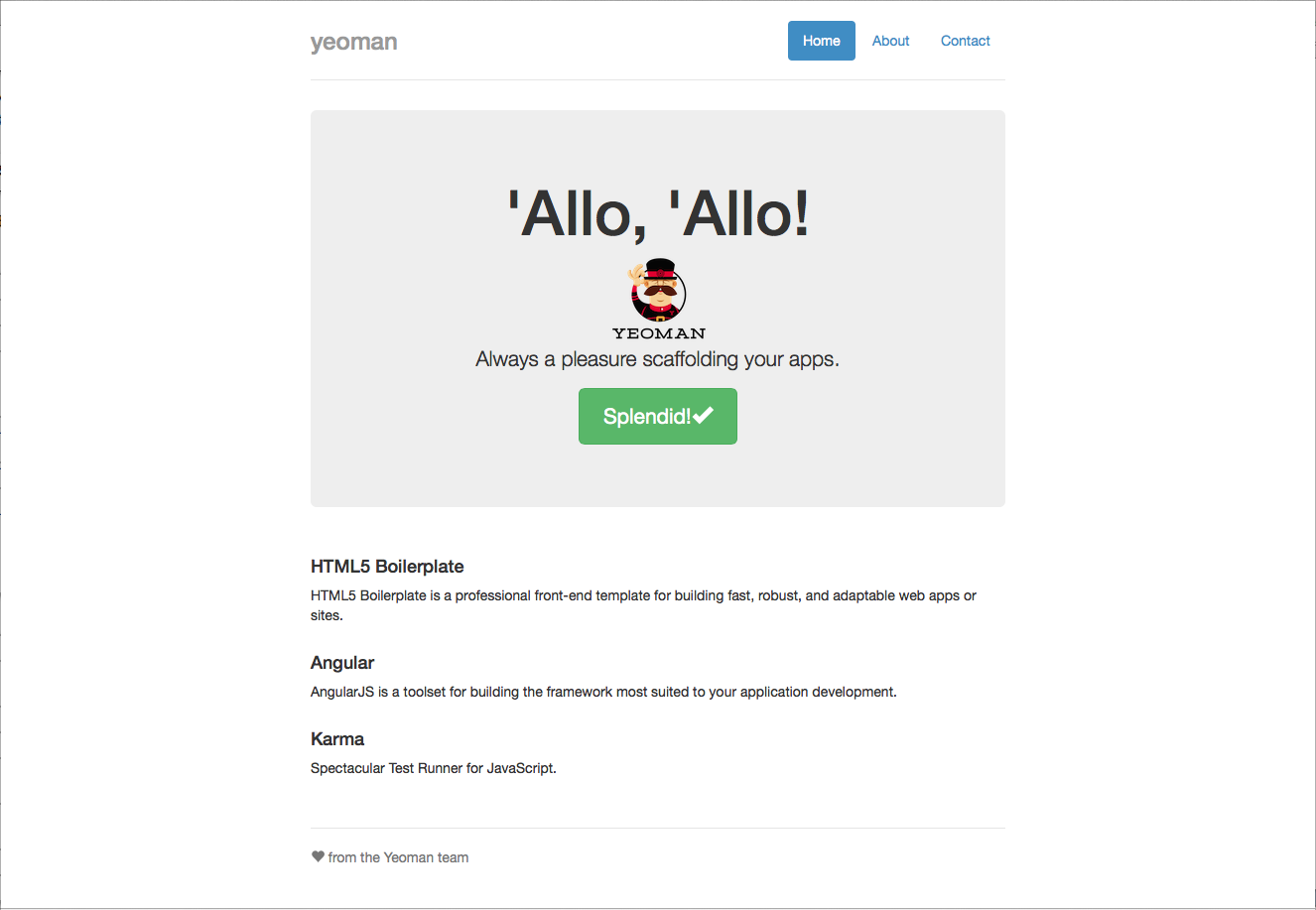
$ grunt serve
Running "serve" task
Running "clean:server" (clean) task
Running "wiredep:app" (wiredep) task
app/index.html modified.
Running "concurrent:server" (concurrent) task
Running "copy:styles" (copy) task
Copied 1 files
Done, without errors.
Execution Time (2014-11-14 01:16:24 UTC)
loading tasks 3ms ▇▇▇▇▇▇▇▇▇▇▇▇▇ 27%
copy:styles 7ms ▇▇▇▇▇▇▇▇▇▇▇▇▇▇▇▇▇▇▇▇▇▇▇▇▇▇▇▇▇▇ 64%
Total 11ms
Running "autoprefixer:dist" (autoprefixer) task
File .tmp/styles/main.css created.
Running "connect:livereload" (connect) task
Started connect web server on http://localhost:9000
Running "watch" task
Waiting...
いけた!!!
自動でブラウザが開かれます